Request Your RBT Course Completion Certificate
(CAUTION: If you complete this coursework in less than 5 days the BACB will not accept your certificate.)
- Click here to return to the RBT Training Course -
Read the following information then complete the form below.
Your certificate will be sent to you by email in PDF format within 5 BUSINESS days.
All requests are processed in the order received.
Sending more than one request will delay your certificate.
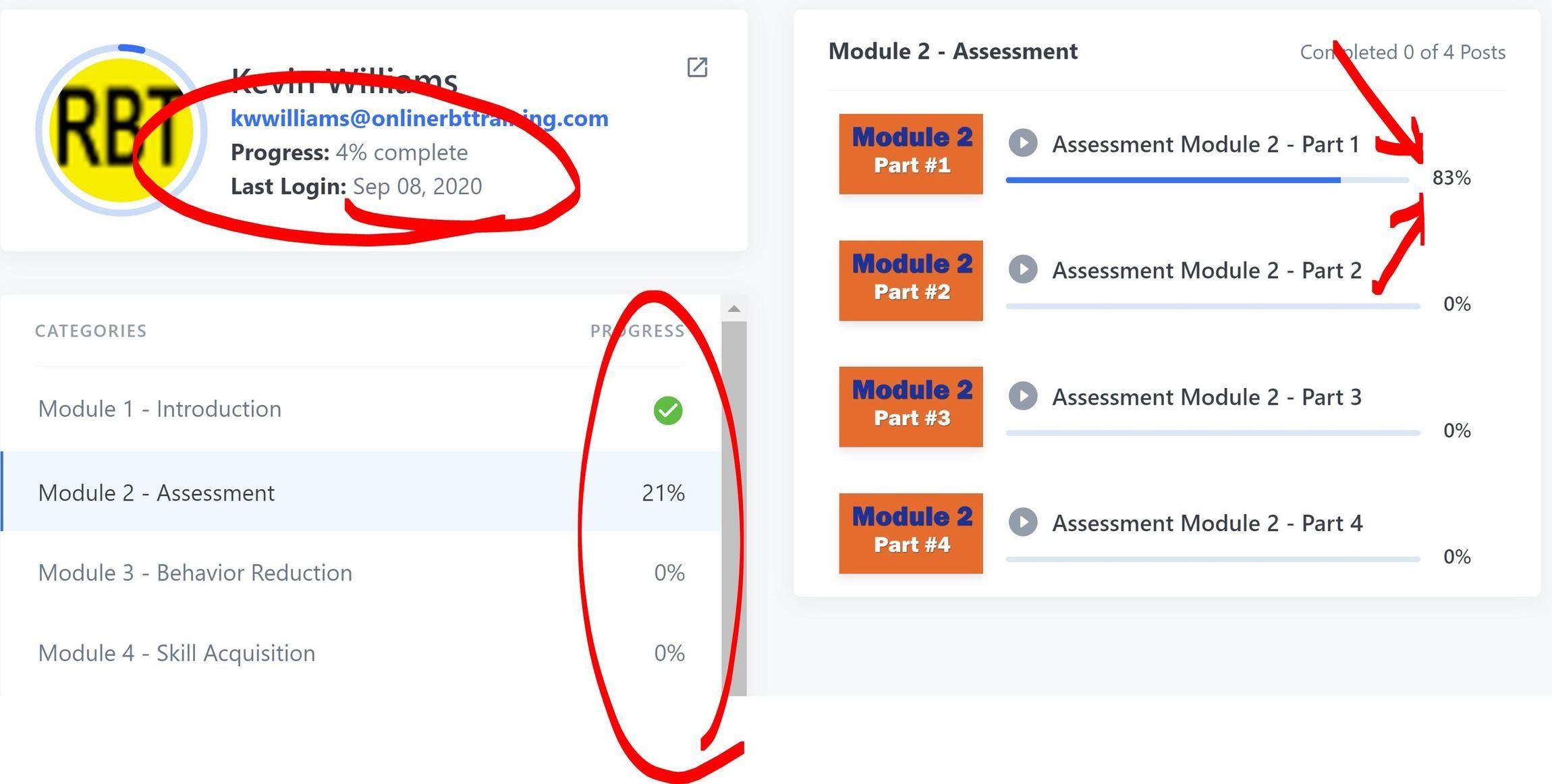
Make sure All lessons are completely viewed.
Note: Our system will not consider a lesson fully viewed if it was fast-forwarded.
The system does NOT use the "Completed" checkmark to monitor progress because fast-forwarding can trigger the indicator.
WARNING!
Once we send a certificate we do not change names.
Make sure information matches your Profile.
The Name and Email you submit must be the same as in your Profile. Your name must match you ID. YOUR CERTIFICATE WILL NOT BE HONORED BY THE BACB IF THE NAMES DO NOT MATCH.
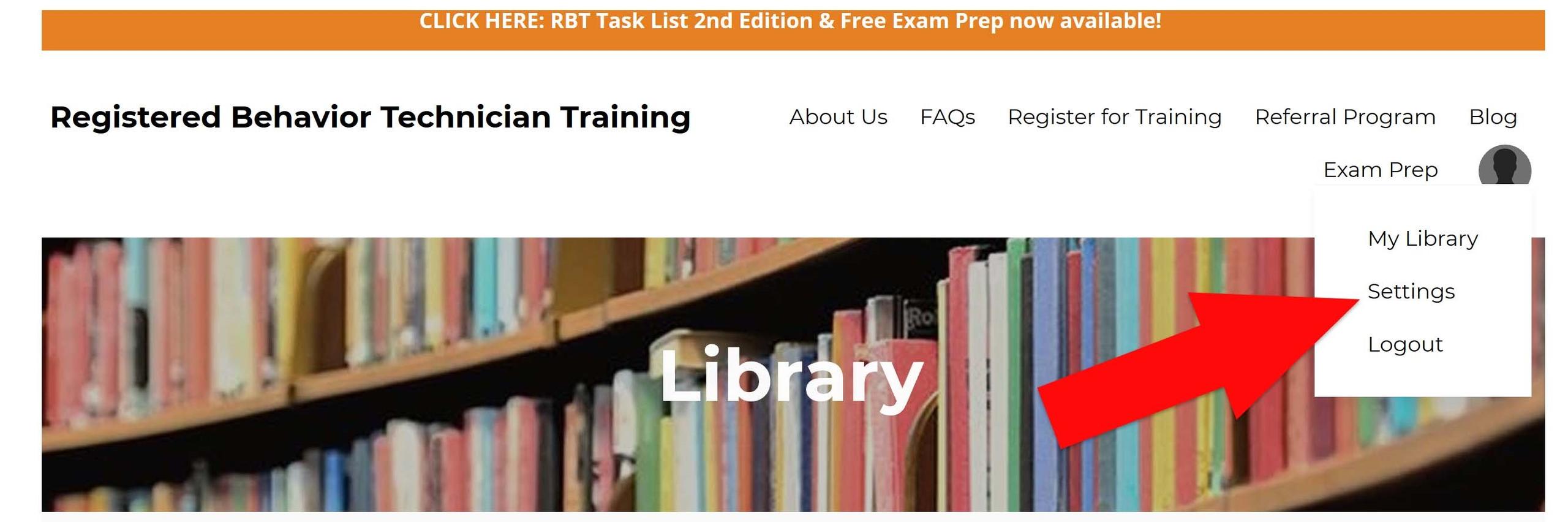
Update your Profile-Settings by clicking the Profile icon and update before you submit. (See red arrow)
Click here if you need to update your Profile Settings.
How to get your BACB ID:
To get a BACB ID, you must create a personal account on the BACB website, specifically through the BACB Gateway https://gateway.bacb.com/Account/Register.aspx/1000
During registration, use your legal name (matching government ID) and a personal email address to ensure you retain access to your account. Once created, your unique BACB ID will be assigned to your profile.
Steps to Obtain a BACB ID:
1. Go to the BACB Account Setup Page: Visit the BACB Gateway and click on the link to create a new account.
2. Enter Personal Information: Fill in your legal name exactly as it appears on your government-issued ID.
3. Use a Personal Email: Do not use a work email address to avoid losing access to your account if you change employers.
4. Complete the Profile: Finish setting up the profile to generate your account, which will display your unique ID number.
5. Important Notes:
• Do not create multiple accounts: If you previously held a certification, use the "Contact Us" form to recover your account.
• Locating your ID: Once logged in, your ID is found on your profile page.
• Purpose: The ID is required for applying for certifications (like RBT or BCBA), completing competency assessments, and tracking training.
Enter the Same Information that is in Your Profile then Click Submit.
You will receive email confirmation when we receive your request.
Enter Your Information Here...
Remember: Enter the same information that is in your Profile.
NOTE: Make sure the name you submit matches your Profile and is the same on your ID.
We DO NOT change name on certificate after it is sent. And, do not use all caps.
Submitting more than one request slows down response time.
